We just dropped a major update to Rapchat on iOS — version 11.7.0 — and it’s packed with powerful tools to take your music to the next level. Whether you’re laying down vocals, adding custom sounds, or building tracks with your crew, this update is all about giving you more control and creativity in the studio.
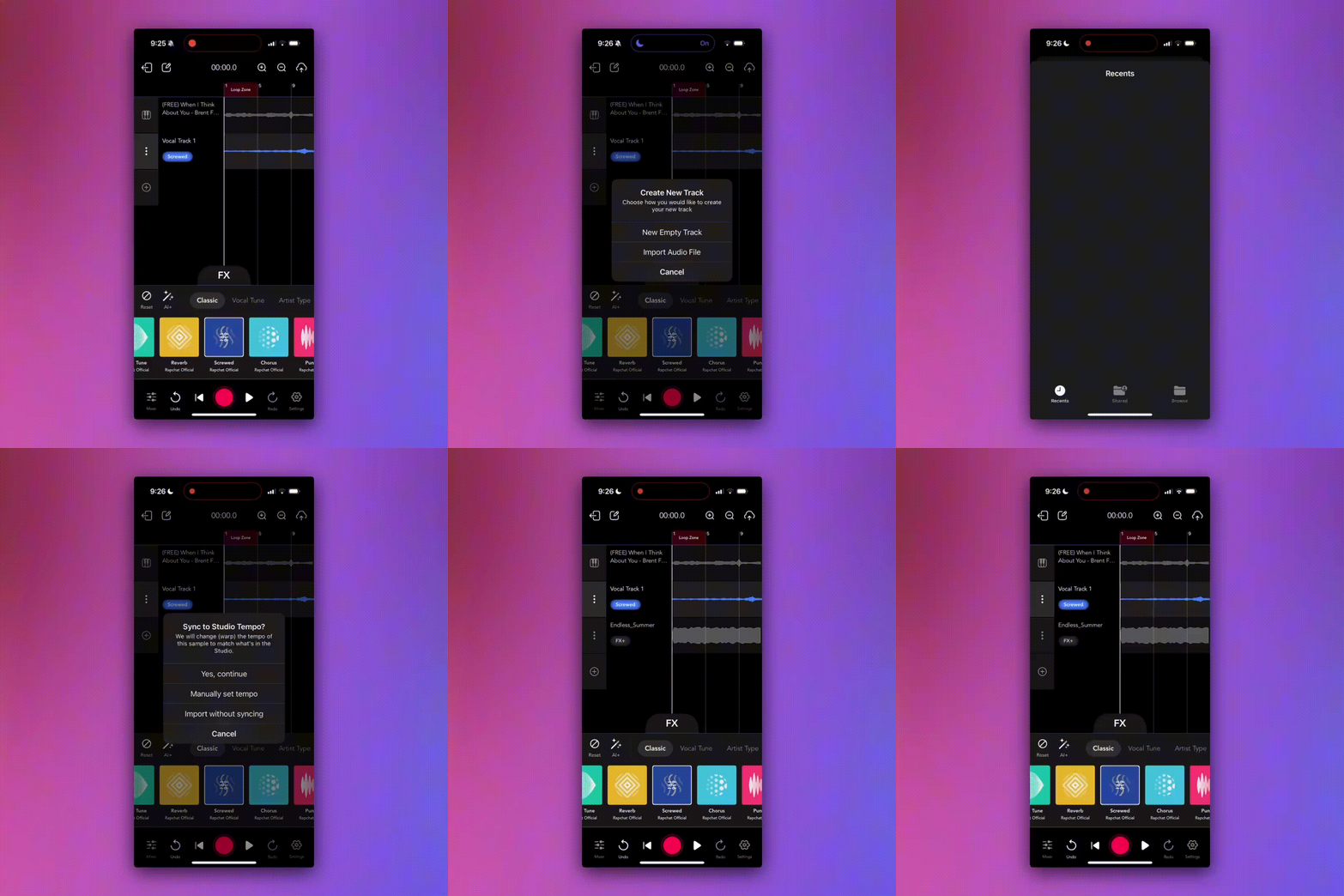
🎙️ 1. Import Any Audio File into Your Tracks
You can now import audio files directly into your Rapchat studio projects. Import your ad libs, full vocal takes, sound effects, or custom samples from your phone and drop them right into your track. This opens up a whole new world of flexibility for producers and artists alike.
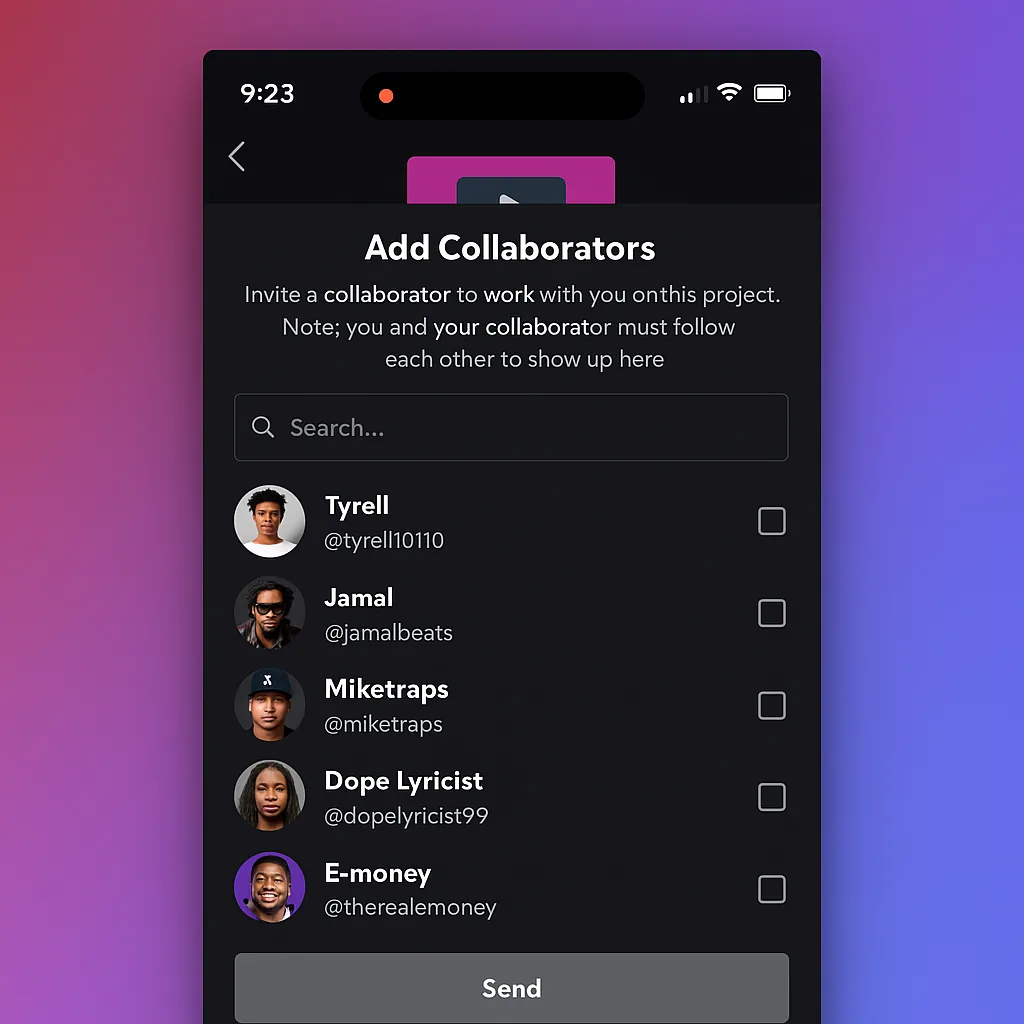
👥 2. Multi-User Project Collabs
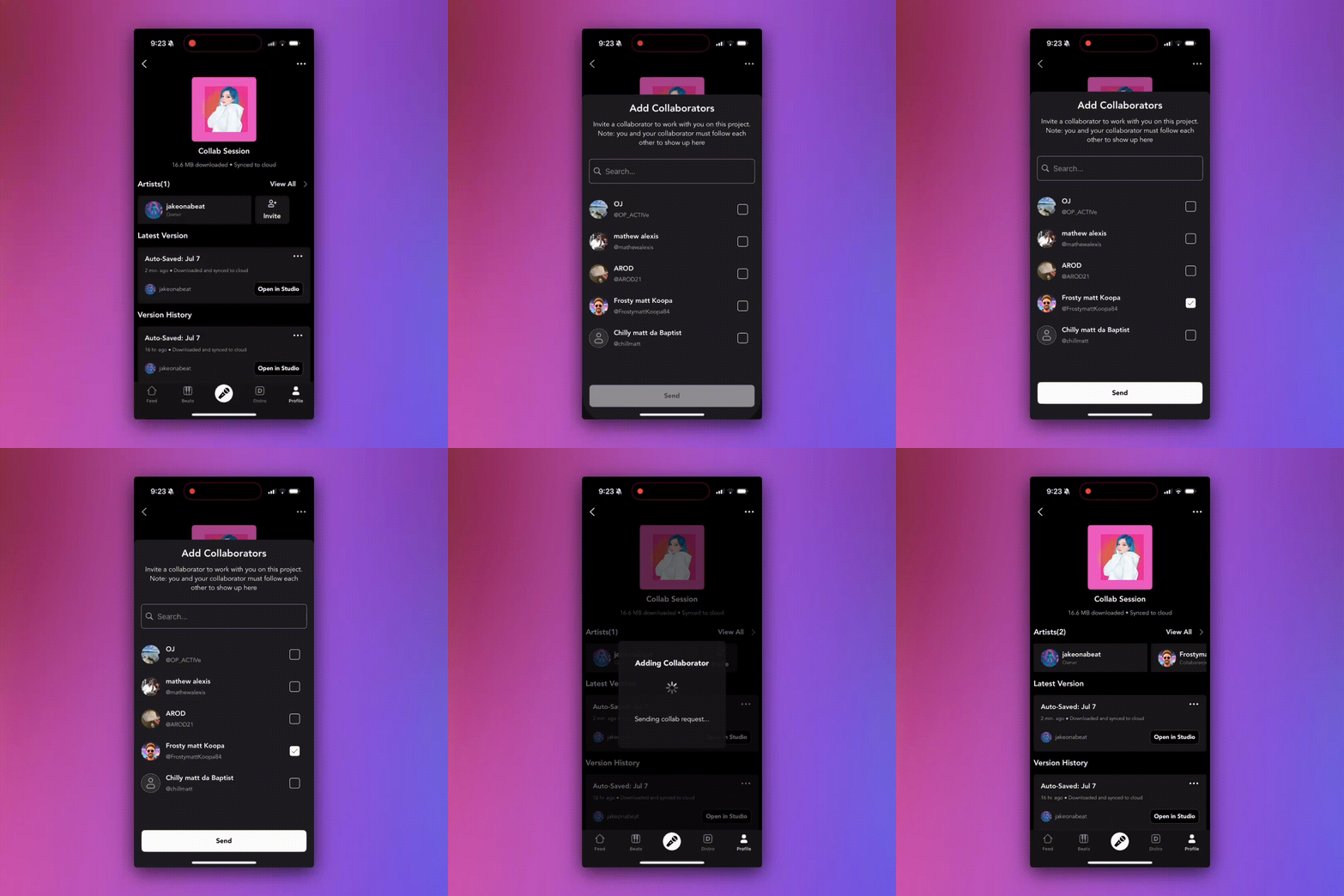
We’ve rebuilt our collab system from the ground up. Before, you could only share a project with one person, and they could only make one update. Not anymore. Now you can share projects back and forth with other iOS users!
- Add multiple collaborators to a project
- Work together seamlessly in the same project, updating as much as you want
🧑🤝🧑 3. Add Collaborators When You Publish
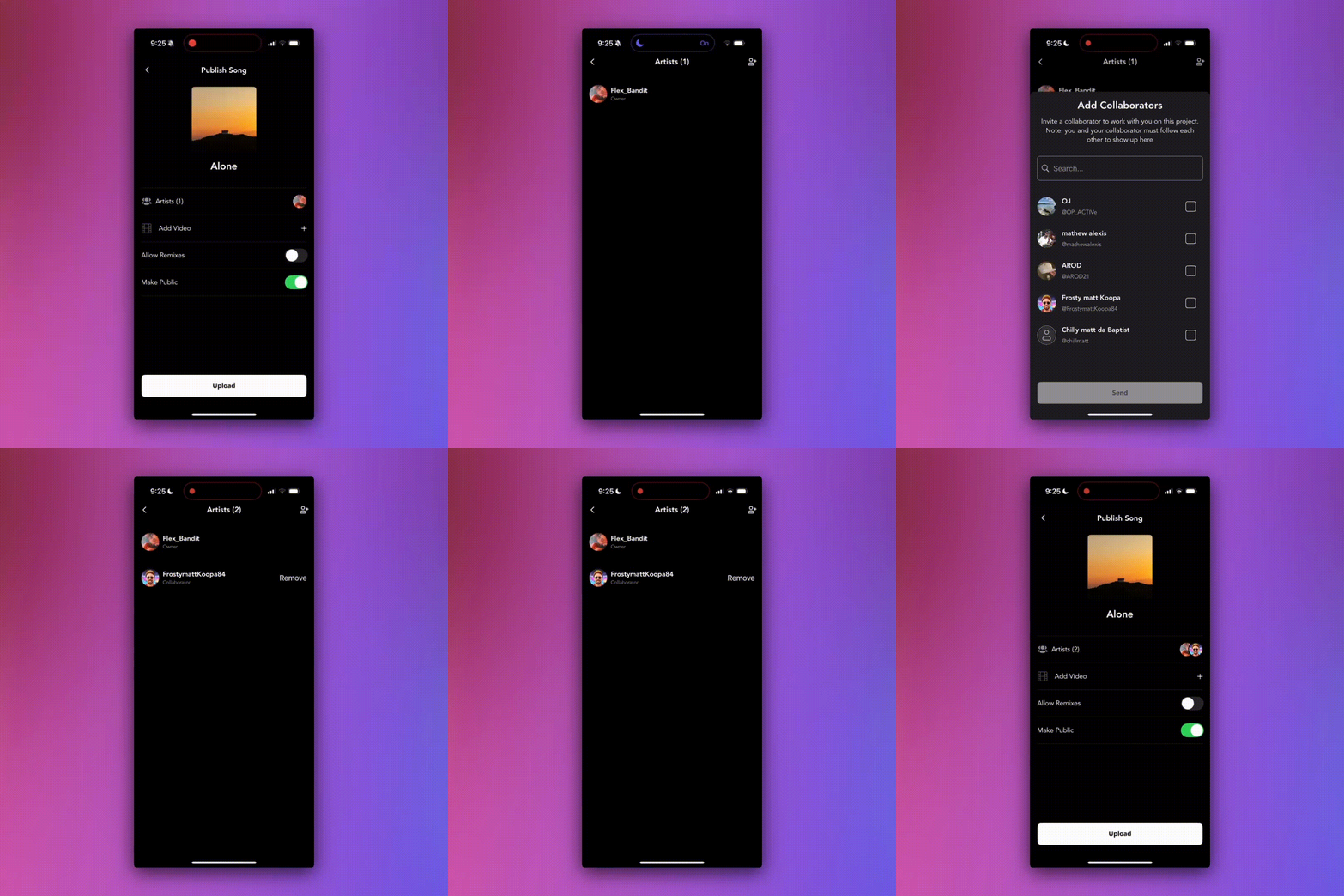
Finished a song and want to give credit where it’s due? You can now add collaborators during the publish flow. No need to start a collab project — just tag your contributors when uploading and they’ll be featured on the track.
📲 Download the latest version now and start creating!